How to Get a Free Website for Your School with DigiSchool
A step-by-step guide to creating a professional school website for free using DigiSchool, no coding required, live in minutes.
Simarpreet Singh
Blog Author
What is DigiSchool?
Every school deserves a professional online presence, but not every school has the budget or technical team to build one. DigiSchool is a complete school management platform that gives your school a live, public-facing website in just a few minutes, completely free.
With DigiSchool you can publish school information, manage students, track attendance, assign homework, collect fees with instant digital receipts, publish online exam results, and broadcast announcements, all from one dashboard. And the best part? You can get started at zero cost.
Step 1: Sign Up for DigiSchool
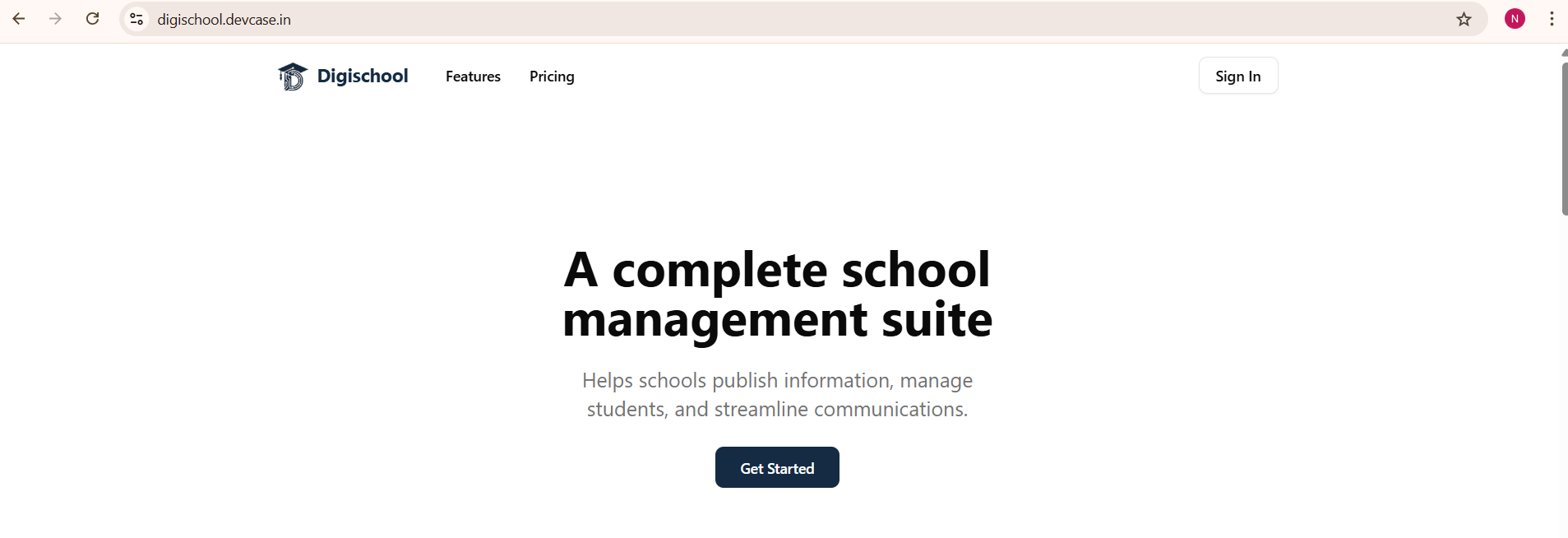
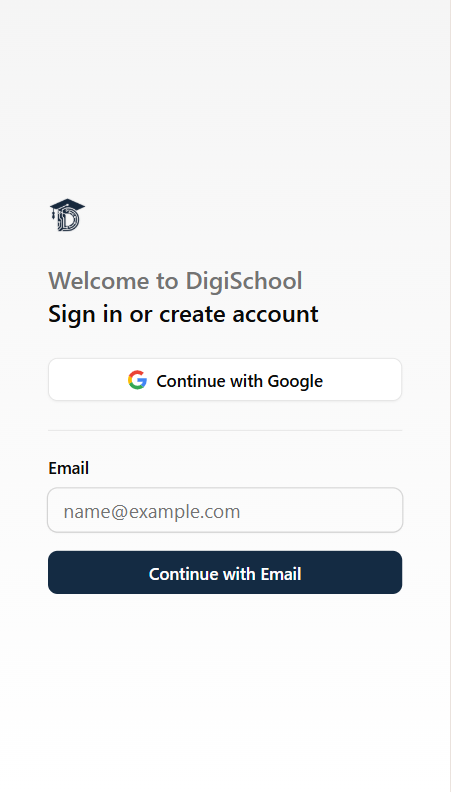
Head over to digischool.devcase.in and click Get Started. You can sign up using your Google account or with your email address.
No technical knowledge is needed. If you can use a smartphone, you can set up your school’s website.
Step 2: Choose Your School ID
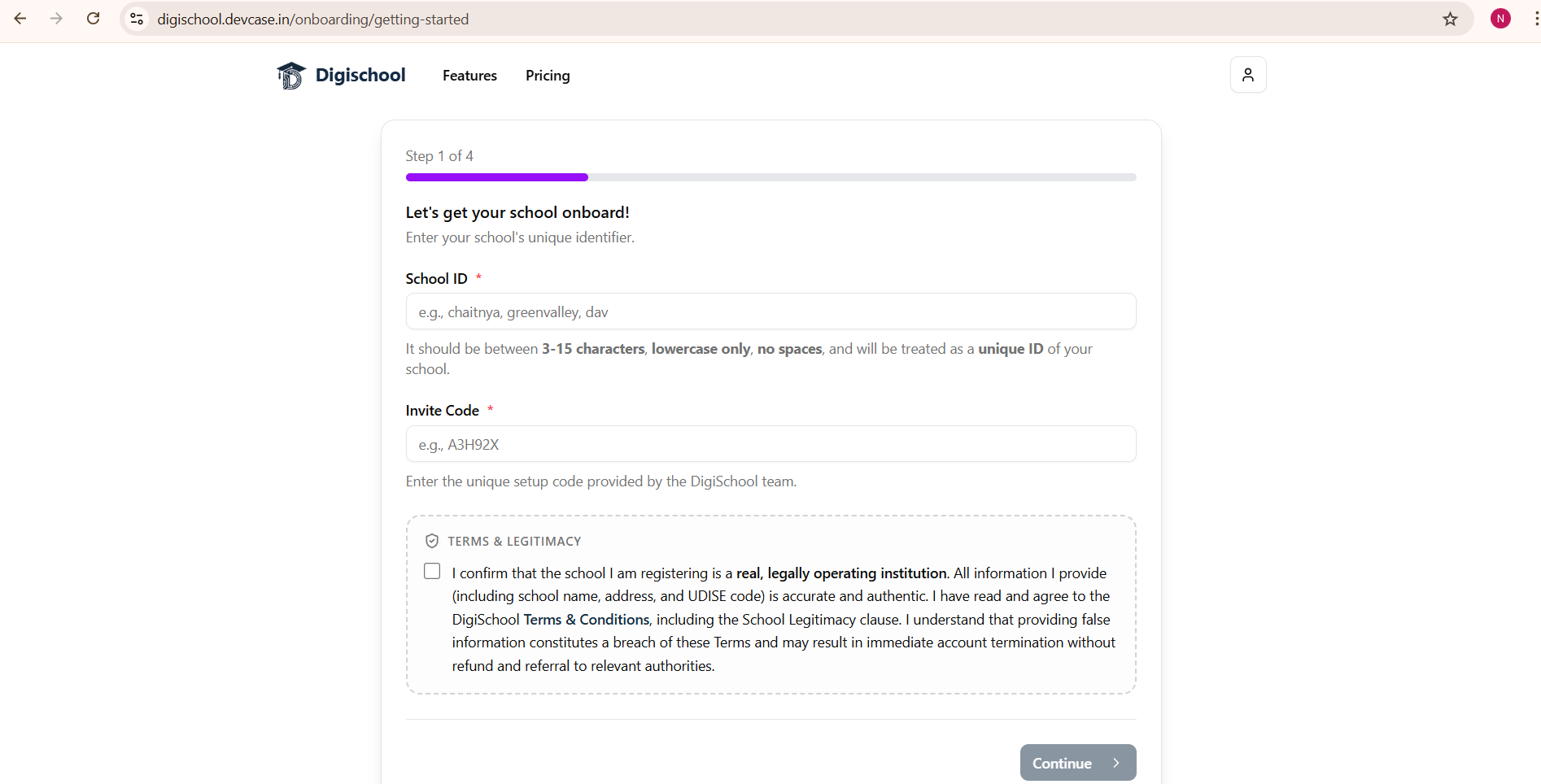
Note: DigiSchool is currently invite-only. To get started, you will need an invite code. You can request one by emailing us at contact@devcase.in.
Please note that providing an invite code depends on the DigiSchool team and is subject to verification and other conditions. We are still in beta and may not select your institution for onboarding at this time.
After signing in, DigiSchool will walk you through a 4-step onboarding process. The first step is picking a unique School ID, a short, lowercase identifier like greenvalley or dav. This becomes part of your school’s web address, so choose it carefully since it cannot be changed later.
Your school’s free website will be live at:
Step 3: Fill in School Details
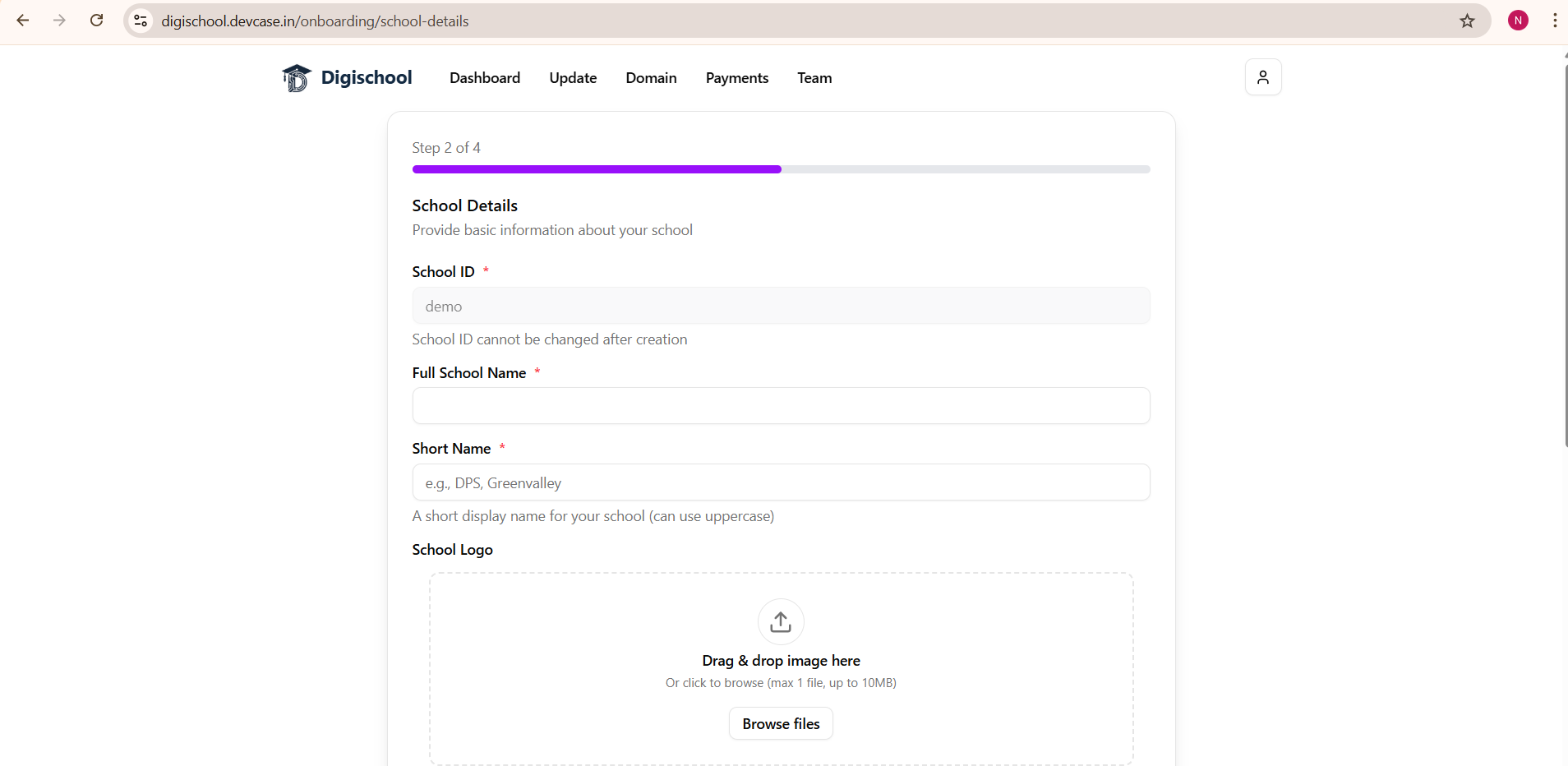
Next, you’ll provide the core information about your school:
- Full School Name: e.g., Demo Public School
- Short Name: e.g., Demo (shown on the website header)
- School Logo: upload your school’s logo (up to 10 MB)
- Contact Numbers: one or two phone numbers
- Email Address: verified via OTP for authenticity
- Principal Name & Photo: optional, but adds a personal touch
DigiSchool will send a one-time password (OTP) to verify your email address before saving.
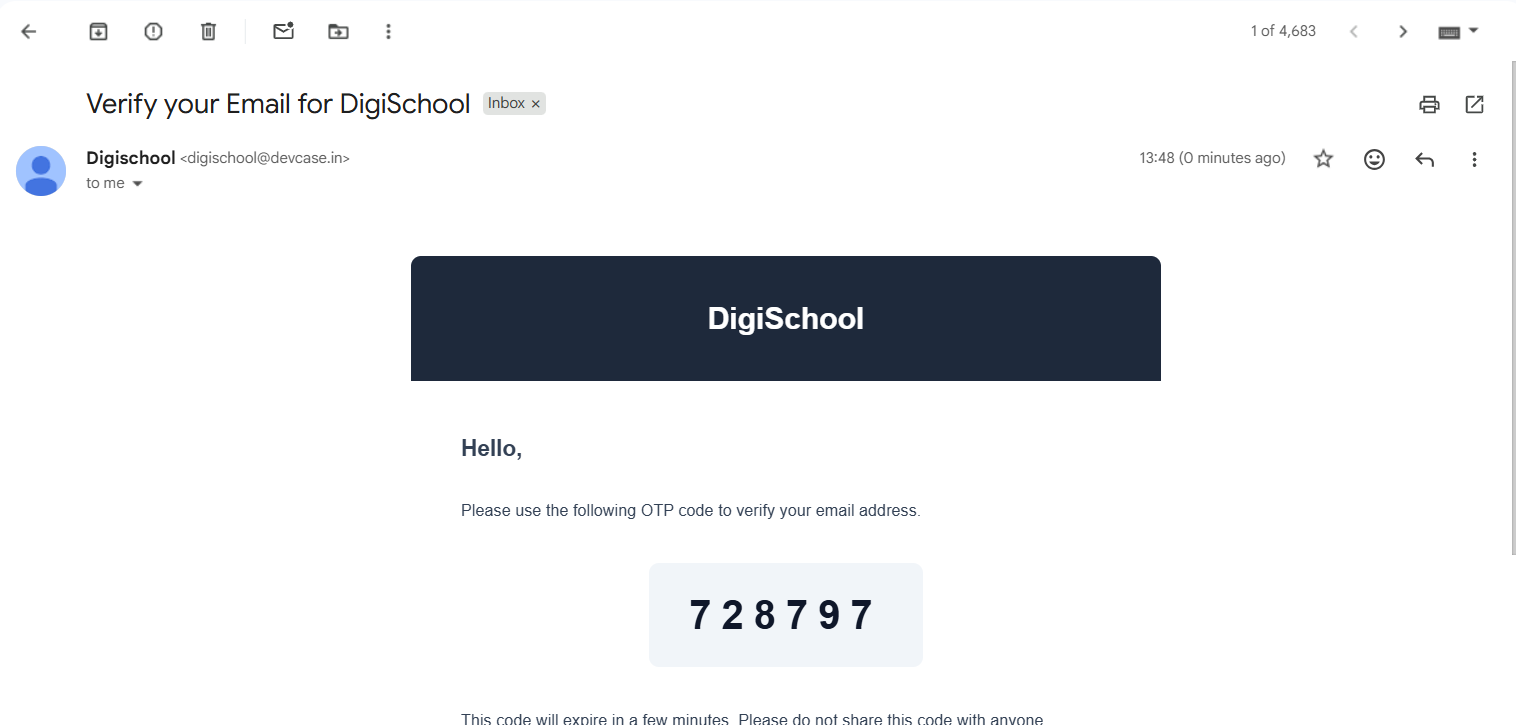
Once verified, your email shows a green “Email verified and ready to save” confirmation.
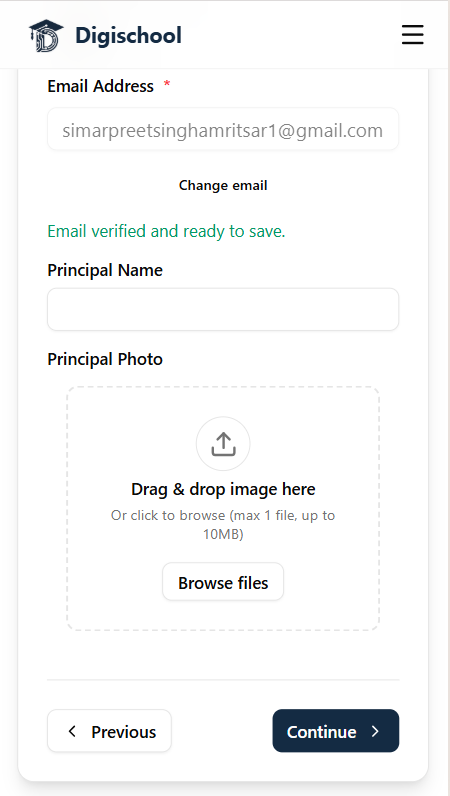
Step 4: Add School Information
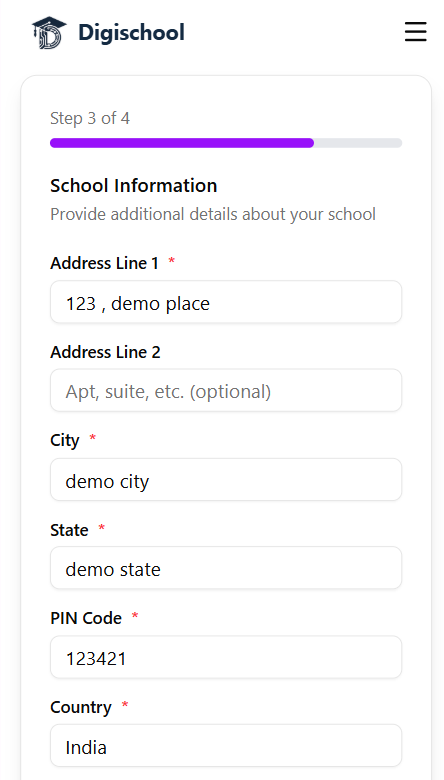
Step 3 collects your school’s physical address, street, city, state, PIN code, and country. This information is displayed on your school’s public website so parents and students can easily find you.
Step 5: Add School Facilities
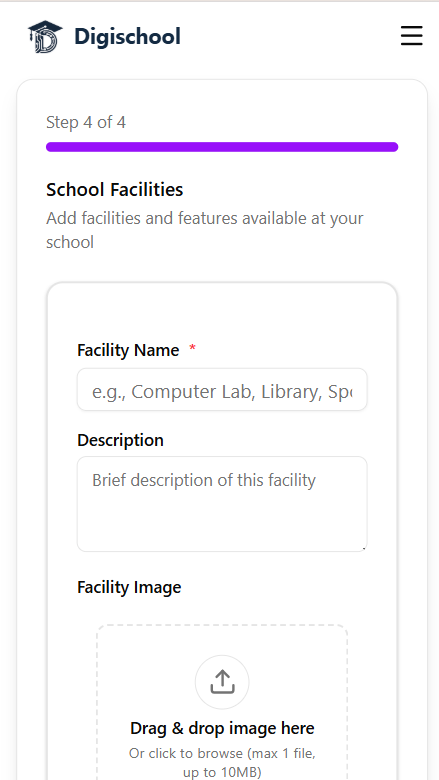
The final onboarding step lets you showcase what your school offers, Computer Lab, Library, Sports Ground, and more. For each facility you can add a name, a short description, and an image.
Your School Website is Live!
Once you complete onboarding, your school’s website goes live instantly. Head to your Dashboard and you’ll see the live link ready to share with parents and students.
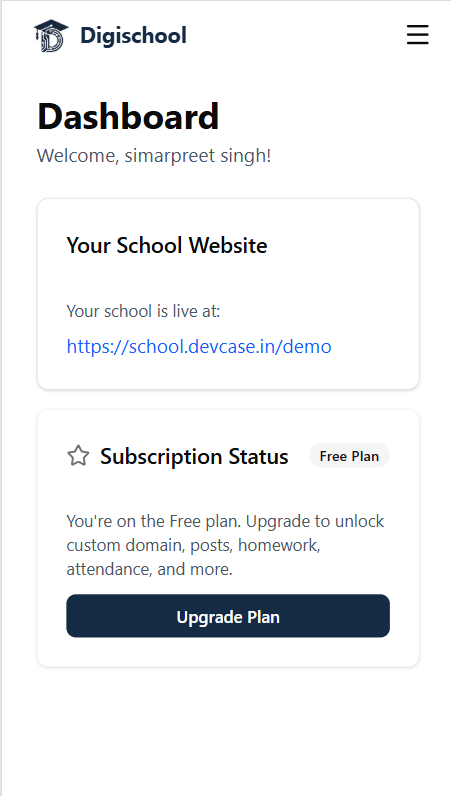
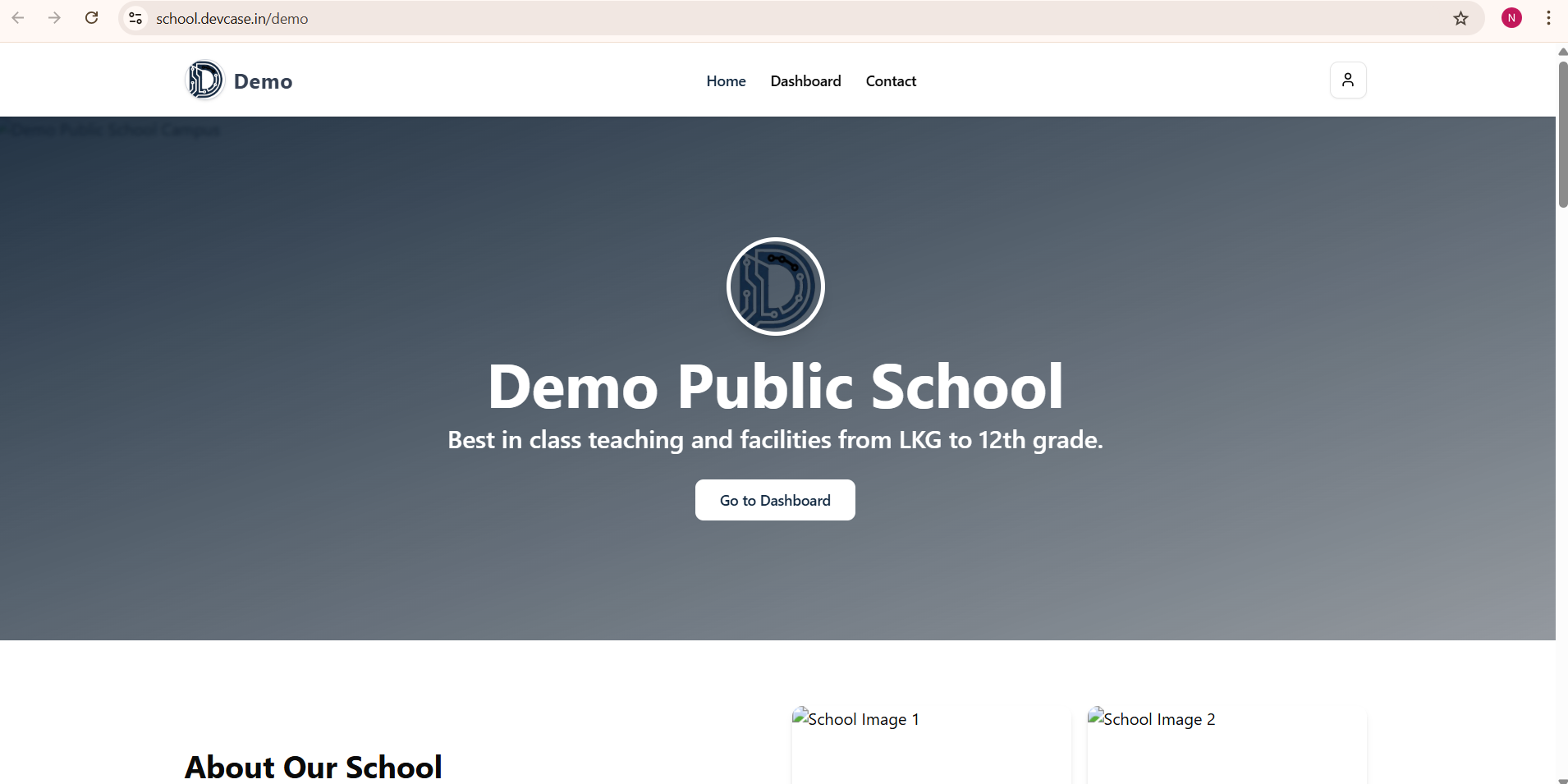
Your school website is live at school.devcase.in/your-school-id, completely free, no credit card required.
Here’s what the public-facing school website looks like from day one:
What Can You Do From the Dashboard?
After setup, the DigiSchool dashboard gives you full control over your school’s online presence with several management tools:
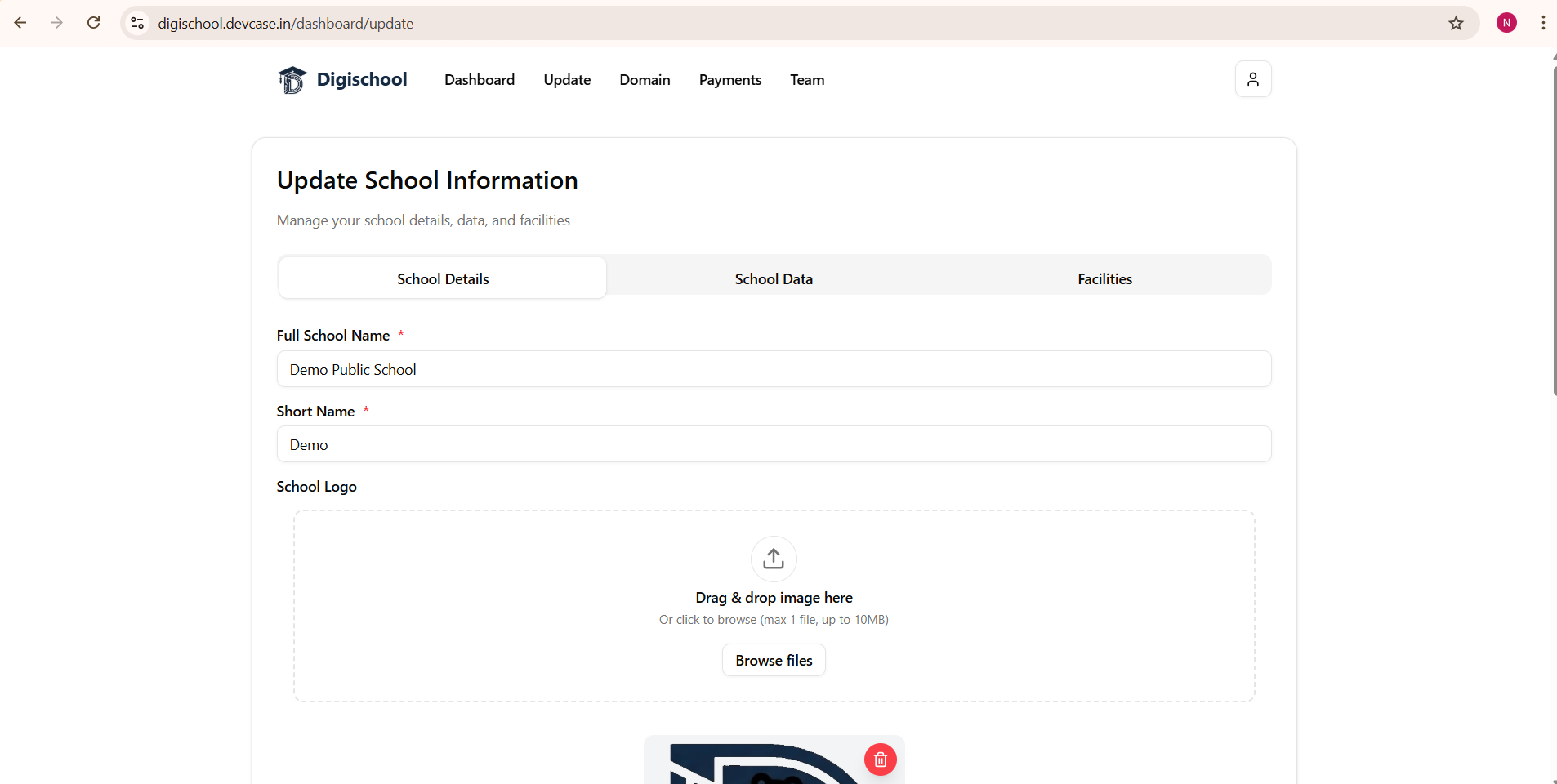
Update School Information
At any time you can update your school’s details, upload new images, change contact information, and manage the facilities section from the Update tab.
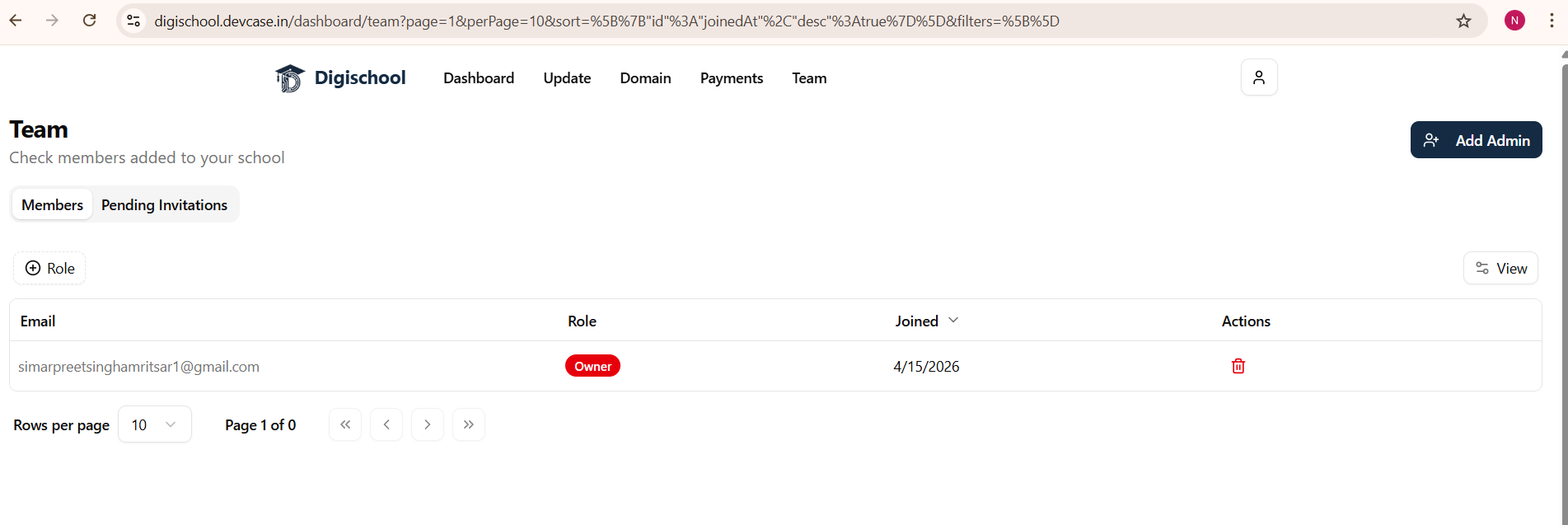
Manage Your Team
Invite co-administrators and staff members using the Team tab. Each member gets role-based access so multiple people can manage the school together.
Subscription Plans
The free plan gets your school online with a public website immediately. When you’re ready for advanced operational tools—such as custom domain linking, real-time fee collections with receipts, online exam results, homework publishing, and attendance records—you can upgrade to a paid plan starting at just ₹799/month (+ GST).
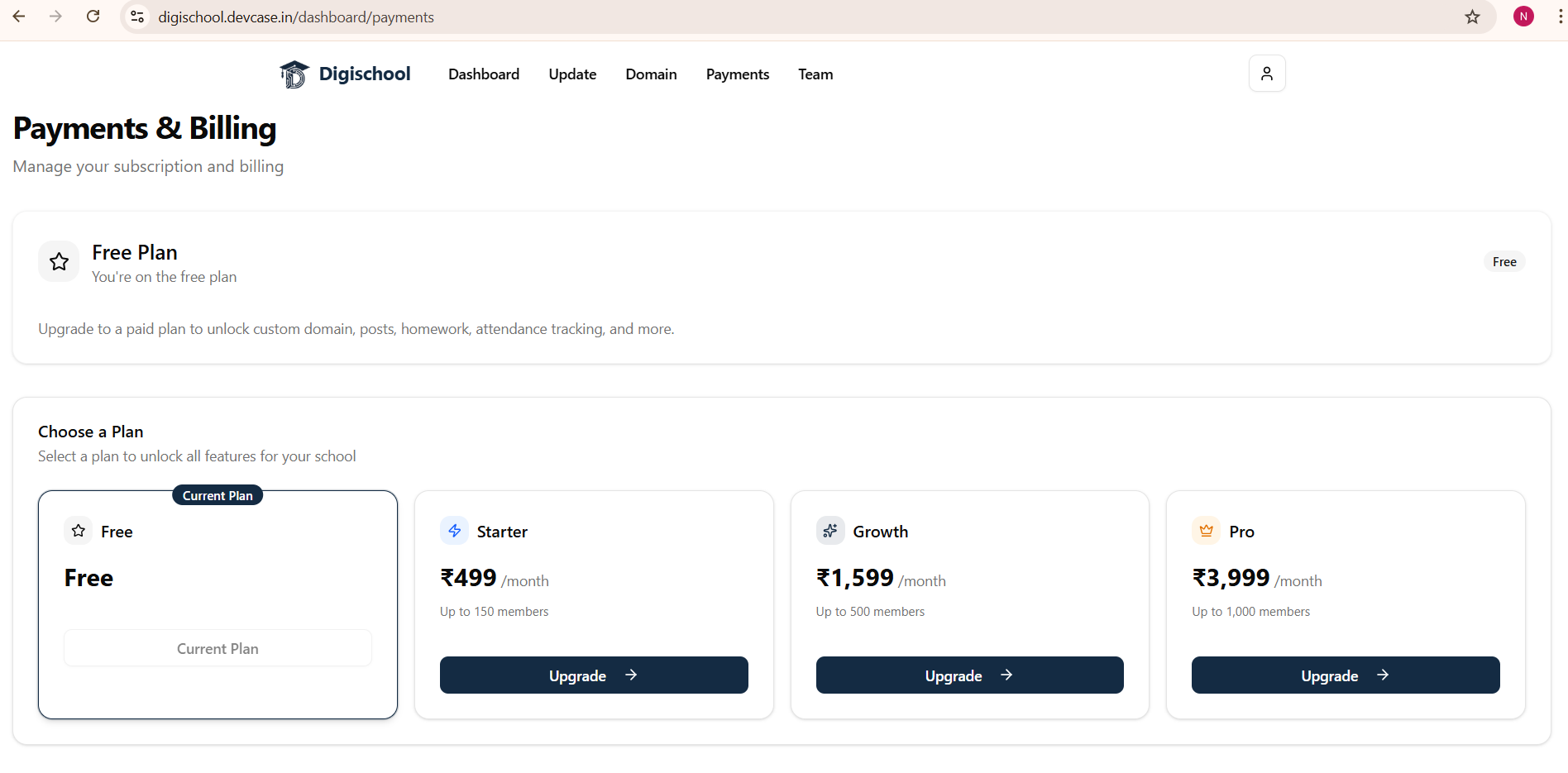
Free vs. Paid: What’s the Difference?
| Feature | Free Plan | Starter (₹799/mo + GST) | Growth (₹2,999/mo + GST) | Pro (₹7,999/mo + GST) |
|---|---|---|---|---|
| Public School Website (Home, About, Contact) | ✅ | ✅ | ✅ | ✅ |
School Subdomain (school.devcase.in/...) | ✅ | ✅ | ✅ | ✅ |
| School Details, Images & Facilities | ✅ | ✅ | ✅ | ✅ |
| Team & Staff Access | ✅ | ✅ | ✅ | ✅ |
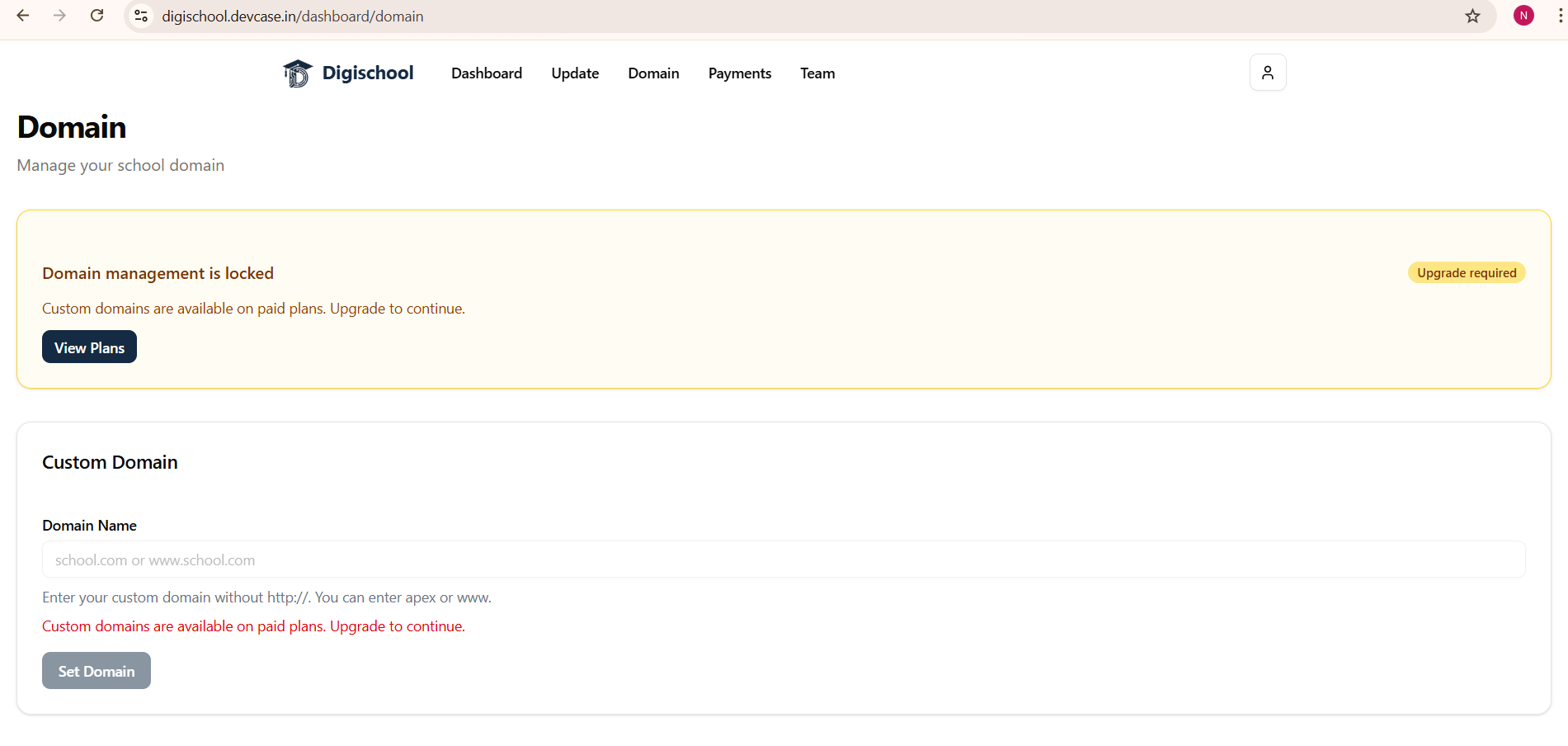
Connect Custom Domain (yourschool.com) | ❌ | ✅ | ✅ | ✅ |
| Fees Management & Instant Digital Receipts | ❌ | ✅ | ✅ | ✅ |
| Online Exam Results | ❌ | ✅ | ✅ | ✅ |
| Smart Attendance Tracking & Daily Records | ❌ | ✅ | ✅ | ✅ |
| Digital Homework & Study Material Publishing | ❌ | ✅ | ✅ | ✅ |
| School Circulars, Notices & Announcements | ❌ | ✅ | ✅ | ✅ |
| Multi-Channel Alerts (Email & In-App) | ❌ | ✅ | ✅ | ✅ |
| Student, Teacher & Parent Login Portals | Basic | ✅ | ✅ | ✅ |
| Student & Staff Capacity | Basic | Up to 150 | Up to 500 | Up to 1,000 |
| DigiSchool Branding | Yes | “Powered by DigiSchool” | ❌ Removed | ❌ Removed |
| Customer Support | Standard | Standard | Priority Multi-Channel | Priority Multi-Channel |
| Continuous Upgrades & Roadmap Priority | Standard | Regular Updates | Priority Roadmap | Priority Roadmap |
All prices exclude GST. All paid plans include regular platform upgrades and responsive customer support. Need a custom plan or multi-campus solution? Contact sales at contact@devcase.in.
Custom Domain Support
On paid plans, you can connect your own domain name, like www.chaitnya.in, to your DigiSchool website. The Domain management panel makes this straightforward, and your school’s branding remains front and center.
Why DigiSchool?
- 🚀 Live in minutes, no development time, no technical setup
- 💸 Free to start, a public website with zero cost
- 📱 Mobile-friendly, works seamlessly on all screen sizes
- 🔒 Secure, email verification and role-based access built in
- 📈 Scalable, grow from free to pro as your school expands
Whether you run a small primary school or a large institution, DigiSchool gives you everything you need to establish a credible online presence, starting today, for free.
Ready to get your school online? Visit digischool.devcase.in and create your free school website in under 10 minutes.
Share this post
Like this post? Share it with your network!